TestPilot Dashboard
The Dashboard summarizes saved testing activity for the selected RabbitQA project. Use it to choose the next activity; use Test Execution and Reports for the underlying case-level evidence.
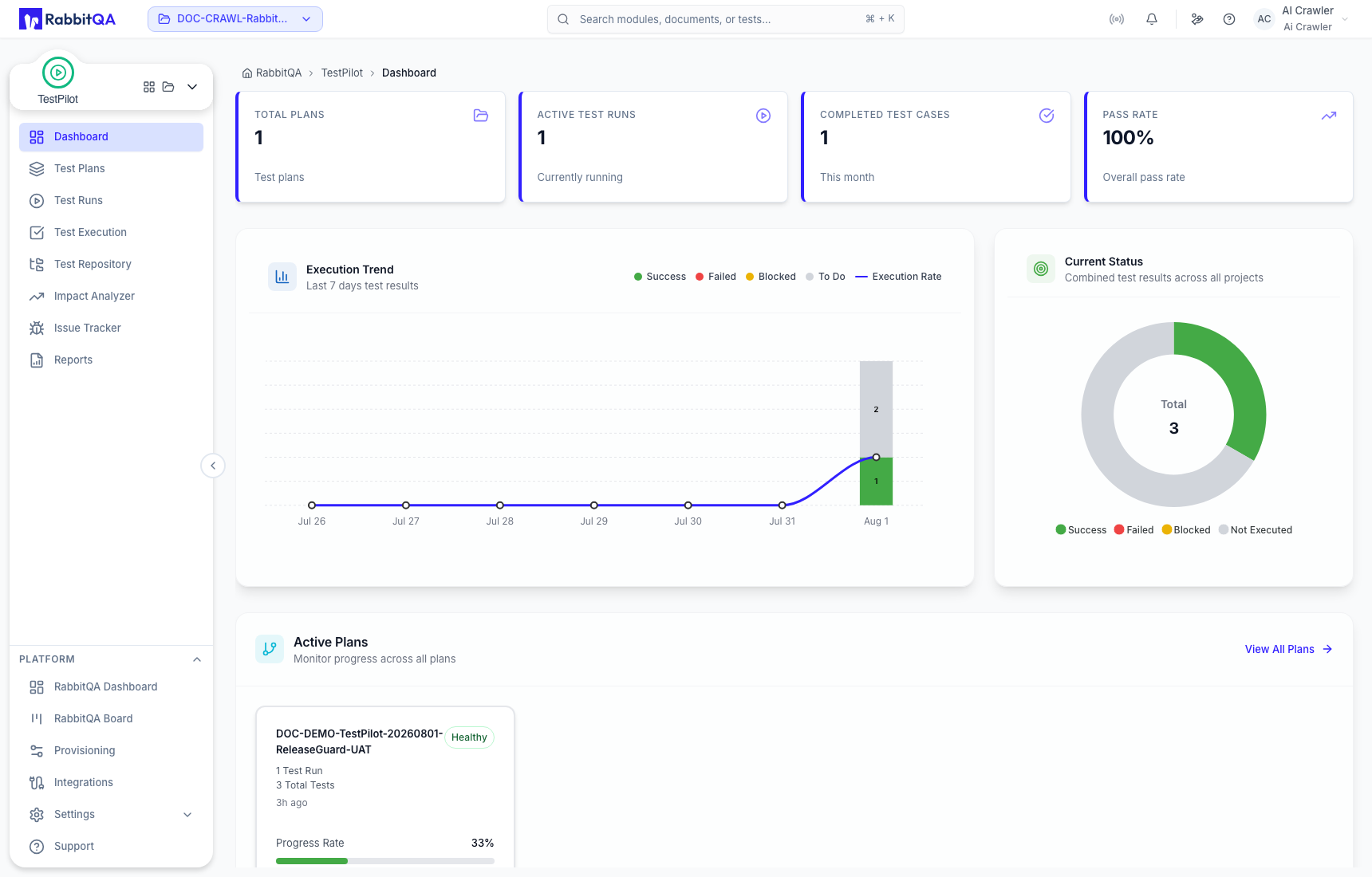
Summary indicators
| Indicator | Meaning |
|---|---|
| Total Plans | Test Plans visible in the selected project. |
| Active Test Runs | Runs currently treated as active. |
| Completed Test Cases | Completed case results in the displayed period. |
| Pass Rate | Passed results as a percentage of completed results. |
A run with one Passed result and two Not Executed cases can show a 100% completed-result pass rate while its completion remains 1 of 3. Always read pass rate with progress and result counts.
Execution Trend and Current Status
Execution Trend shows recent saved results by Success, Failed, Blocked, and To Do, together with the execution-rate line. Current Status combines result states across the selected project.
Changing a filter or opening a detail route does not change execution data. Metrics change after the related result or assignment is saved.
Active Plans and recent activity
Active Plans shows plan health, run count, total assigned tests, age, and progress. Recent Test Run Activity shows the latest run-level result mix and progress.
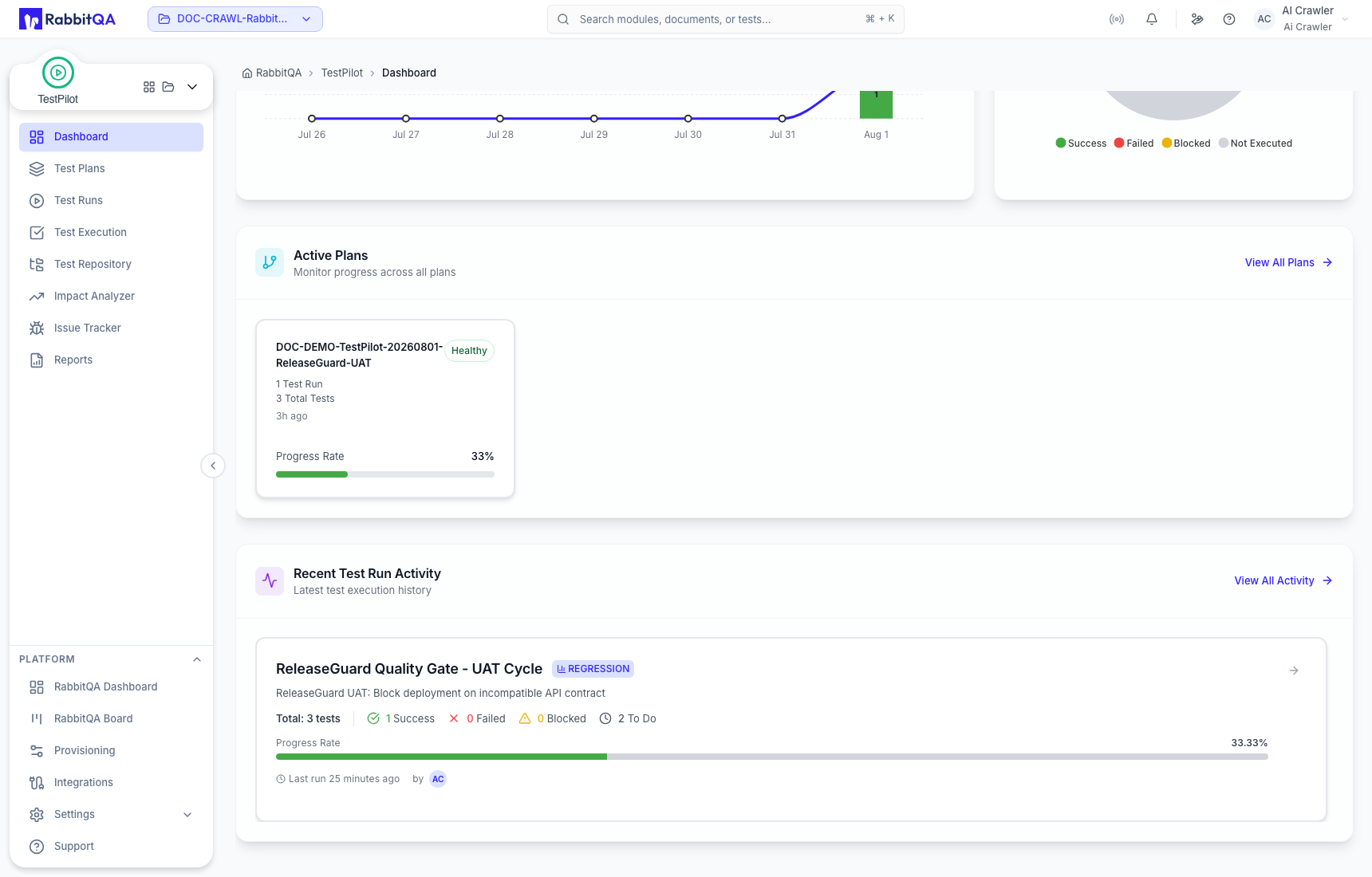
- Select View All Plans to continue to Test Plans.
- Select View All Activity to continue to the detailed run or execution workspace.
- Treat plan health and progress as different signals: health is a calculated summary, while progress reflects saved execution coverage.
Empty state
If the project has no Test Plans, the Dashboard offers Create Plan. Before creating one, confirm that the required cases exist in the Test Repository.
Troubleshooting
- Metrics look empty: confirm the selected RabbitQA project and its TestPilot access.
- A saved result is missing: refresh, verify the selected plan and run, and check that Save Result completed successfully.
- Pass rate looks higher than progress: compare completed results with the total assigned executions; this can be valid.
